
TandemLLM in brief, from the website
A chat that runs on the box
The dashboard's Chat tab feels like the chat products you know from the cloud, and it runs on your own box. A run lives on the server. Close the browser in the middle of an answer, open the chat on your phone, and it shows the answer at the token the engine is writing now.
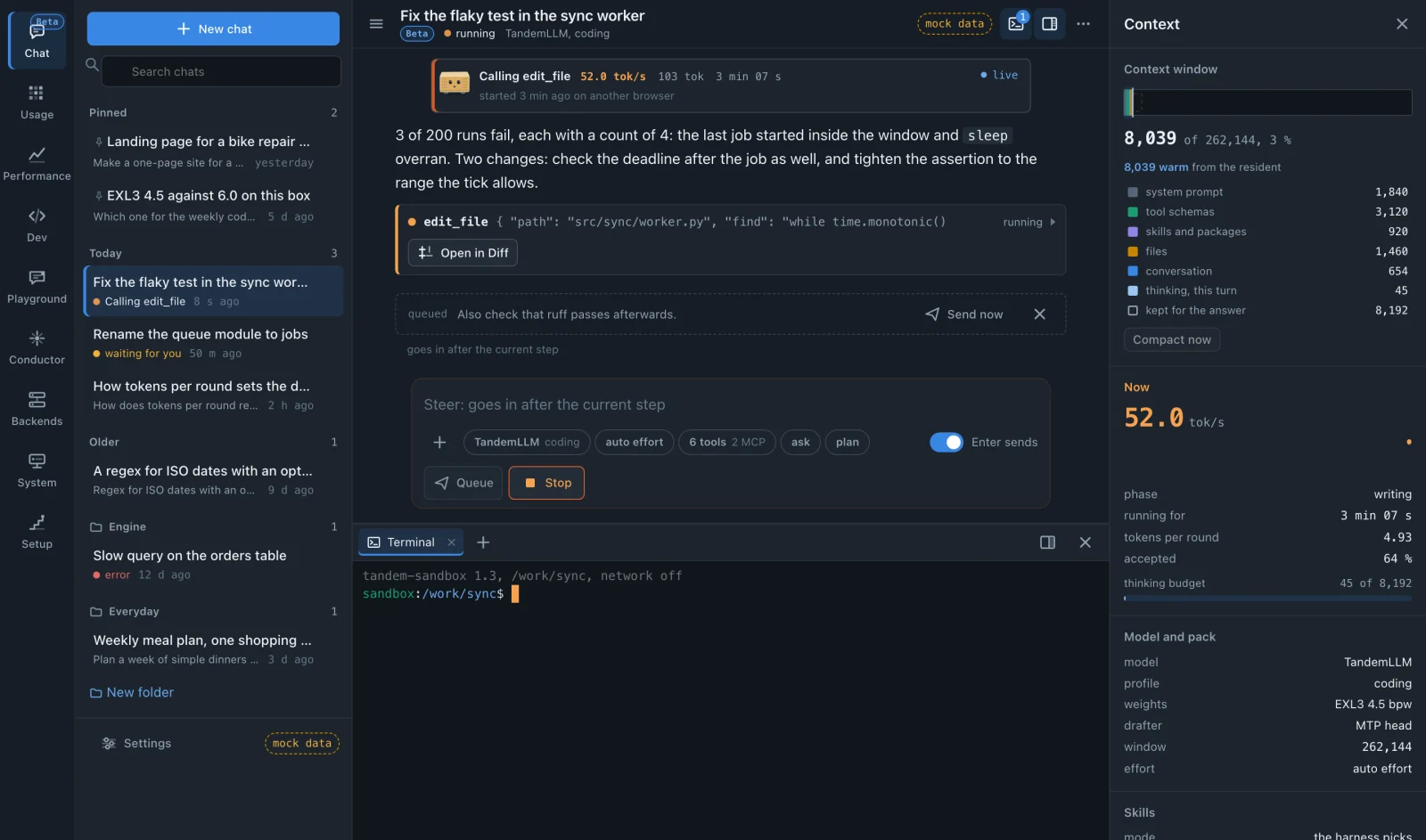
- Each chat gets its own sandbox container: no capabilities, a read-only root, 1 GiB of memory, 4 CPUs and no GPU. Its internet goes through a per-chat proxy that refuses your local network, and you can switch it off per chat.
- The model gets a shell, file tools, terminals and page rendering inside that sandbox. Web search goes through DuckDuckGo or your own SearXNG. MCP servers plug in; stdio servers run inside the sandbox, and their secrets never come back in an answer.
- You choose how much it may do alone: Ask, Auto (the default) or YOLO. A tool call that needs your answer waits, and gives its slot back while it waits.
- Images go to a model that reads images. A text file goes into the prompt within a token budget, and a larger one goes to the chat's workspace for the tools to read.
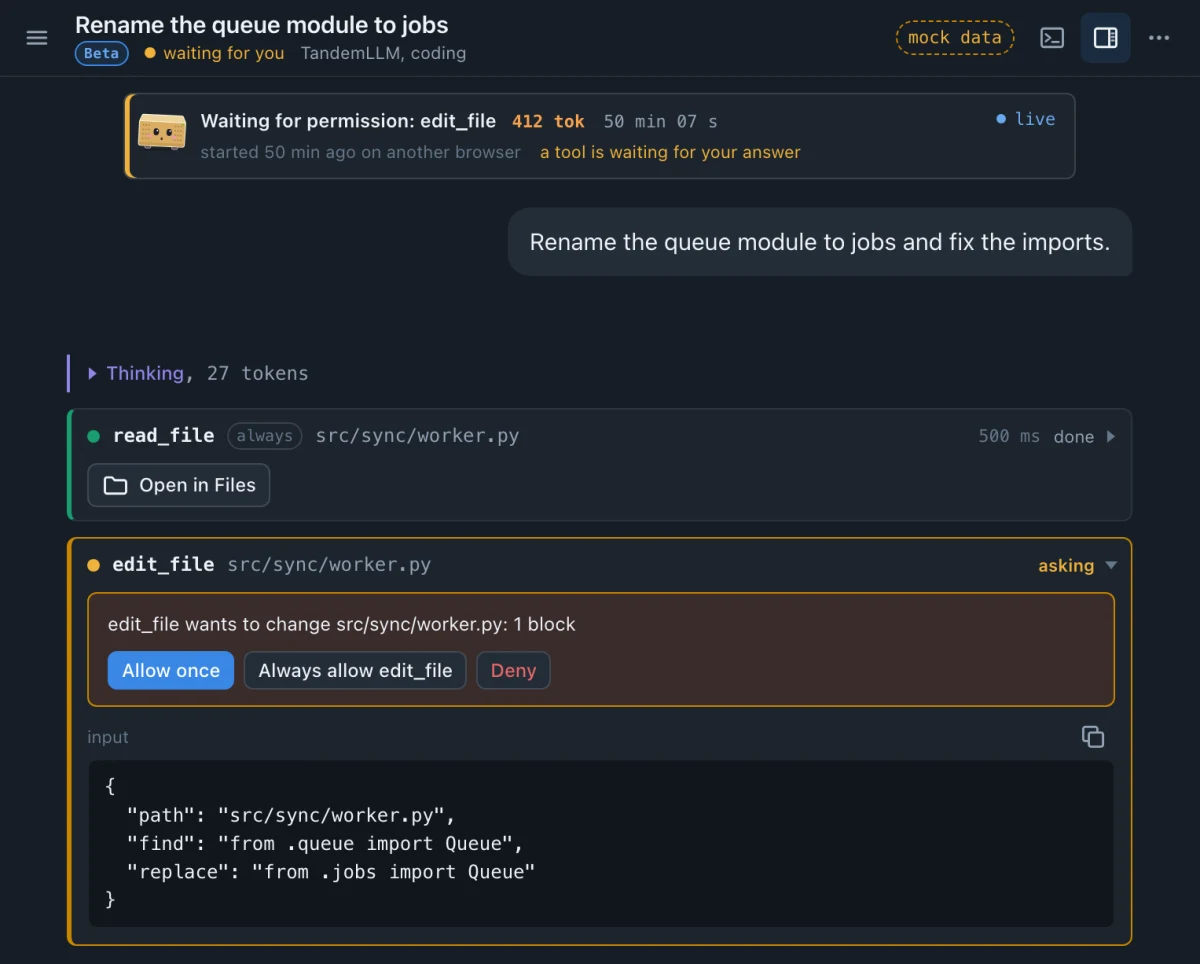
The Chat tab is in beta, and its page in the docs lists what it does not do yet. Your own client works too: Open WebUI, opencode and pi talk to the engine through the OpenAI-compatible API, and every client shows up in the same dashboard, down to a year of usage.